
http://www.triple-crown-roofing.com/metal-roof-myths-florida-homeowners-still-believe-and-what-the-truth-really-is
Why festive movie nights, video calls, and smart devices push home networks to the breaking point—and what you can do about it
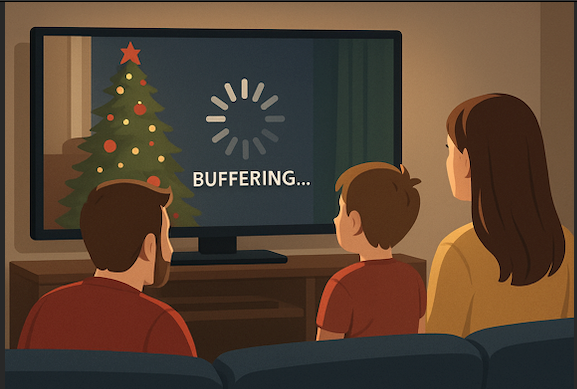
December is supposed to be cozy. Holiday movies on the TV, video calls with family, kids home from school, smart lights twinkling, and maybe even a few new gadgets under the tree.
So why does your internet suddenly feel slower, glitchier, or downright unreliable this time of year?
If your streaming keeps buffering or your Wi-Fi drops when you need it most, you’re not alone—and the problem usually isn’t your internet plan.
Why December Is the Hardest Month for Home Wi-Fi
Holiday internet issues spike every year, and it’s not a coincidence. December places unique pressure on home networks, especially in households that rely on Wi-Fi for everything.
Here’s what’s really happening behind the scenes:
📺 More Devices Than Ever—All at Once
During the holidays, your network is juggling:
- Multiple TVs streaming in HD or 4K
- Phones and tablets scrolling, shopping, and streaming
- Laptops on Zoom calls or remote work
- Gaming consoles running updates
- Smart lights, speakers, cameras, and doorbells
Even strong internet connections can struggle if the Wi-Fi system inside the home isn’t built to handle the load.
The Real Culprit: Your Wi-Fi Setup (Not Your Speed)
Many customers assume slow streaming means they need a faster plan. In reality, the most common holiday Wi-Fi failures are caused by:
❌ Router Location Problems
Routers tucked in closets, garages, or corners of the house can’t evenly distribute signal—especially to back bedrooms or living rooms where TVs are located.
❌ Outdated or Overworked Equipment
Older routers weren’t designed for today’s device-heavy households. When too many devices connect, performance drops fast.
❌ Dead Zones and Weak Coverage
Large homes, metal walls, and long distances create Wi-Fi dead spots that become painfully obvious during holiday gatherings.
❌ Wi-Fi Interference
Neighbors, decorations, electronics, and even appliances can interfere with your signal—something that becomes more noticeable during peak usage times.
Why Streaming Suffers First
Streaming is often the first thing to fail because it requires:
- Consistent signal strength
- Low interference
- Steady bandwidth over time
That’s why you may notice:
- Endless buffering wheels
- Poor picture quality
- Audio out of sync
- Streams cutting out during peak evening hours
How to Fix Holiday Wi-Fi Problems (Without Overpaying)
Before upgrading your internet plan, try these proven solutions:
✅ Improve Router Placement
Central, elevated, and unobstructed placement can dramatically improve performance.
✅ Reduce Device Congestion
Disconnect unused devices and schedule large downloads for overnight hours.
✅ Upgrade to a Whole-Home Wi-Fi Solution
Mesh or professionally installed systems distribute signal evenly throughout your home—perfect for streaming, gaming, and smart devices.
✅ Work With a Local Provider Who Knows Your Area
Local networks, home layouts, and seasonal usage patterns matter. A local provider understands these challenges better than national call centers.
Why Local Internet Makes a Difference During the Holidays
At Hometown Wireless, we see the same seasonal challenges every year—and we design solutions specifically for them.
From optimizing Wi-Fi coverage to recommending the right equipment (not just faster speeds), local providers focus on real performance inside your home, not just numbers on paper.
Don’t Let Wi-Fi Ruin the Holidays
Holiday memories shouldn’t be interrupted by frozen screens and dropped connections. If your Wi-Fi struggles every December, it’s a sign your home network needs attention—not just more speed.
A better setup now means smoother streaming, happier guests, and stress-free holidays.